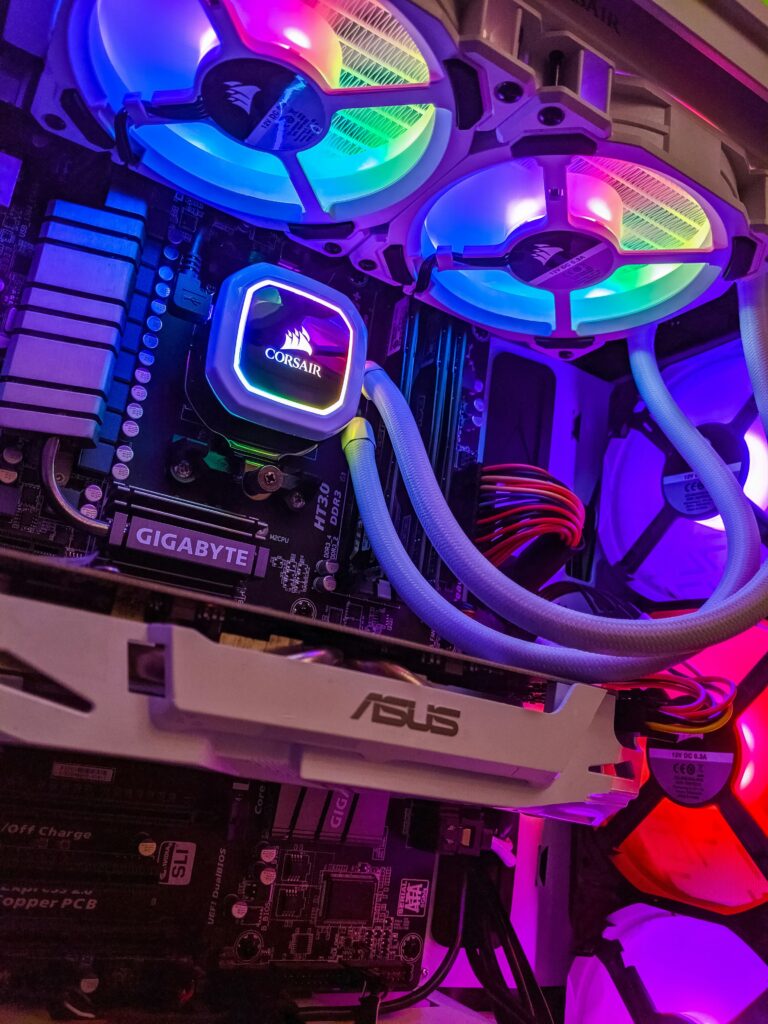
Liquid cooling has an image problem, and the image is the problem.
It looks like a serious option. Tubes, a pump, a radiator, liquid moving through a machine, it signals commitment in a way that a lump of metal with a fan strapped to it does not. And that signalling drives a lot of purchases that don’t hold up to scrutiny.
So let’s examine what these two approaches actually do, and who genuinely benefits from each.
The physics, briefly
Every cooler does the same job: move heat from your processor to the air in your room. The only question is the route it takes.
An air cooler pulls heat into a copper baseplate, moves it through heat pipes into a stack of thin metal fins, and blows air across those fins. Short route, few steps.
A liquid cooler pulls heat into a baseplate that’s in contact with coolant, pumps that coolant through tubes to a radiator elsewhere in the case, and blows air across the radiator’s fins. Longer route, more steps, but with a crucial advantage: it can move the heat somewhere with better access to fresh air.
Note that liquid isn’t magically cooler. It’s a transport mechanism. The heat still ultimately leaves through fins and air, exactly as with an air cooler.
Where air cooling wins
Reliability. An air cooler has one moving part: the fan. Fans are cheap, standardised, and replaceable in five minutes. A good air cooler will outlast the computer it’s installed in, and can usually be transferred to your next build with a new mounting bracket.
A liquid cooler has a pump, which is a moving part running continuously in contact with fluid. Pumps fail. Modern ones fail rarely, but the failure mode is worse: a dead pump means your processor’s temperature climbs immediately, and while thermal protection will prevent damage, you’re not using the machine until it’s replaced.
Cost efficiency. A well-regarded air cooler in the thirty-to-fifty dollar range performs comparably to liquid coolers costing twice as much. The premium air coolers, in the eighty-to-hundred range, genuinely compete with 240mm and even some 280mm liquid units.
No evaporation, no maintenance. Sealed liquid coolers slowly lose coolant through their tubing over years. It’s a very slow process, but it does happen, and there’s no way to top up a sealed unit. Air coolers just need occasional dust removal.
Quiet operation. A large air cooler with a slow-spinning fan is exceptionally quiet. Liquid coolers add pump noise, usually a low hum but always present, and some units develop a gurgle if air pockets form.
Where liquid cooling genuinely wins
I don’t want the above to read as dismissal, because there are real advantages.
Clearance. This is the most underrated benefit. Large air coolers are physically enormous and can conflict with tall memory modules, the first PCIe slot, or the side panel of a compact case. A liquid cooler puts almost nothing above the processor, leaving the area around the socket clear. In small form factor builds, this can be the deciding factor.
Heat relocation. An air cooler dumps its heat into the case, where other components then have to deal with it. A liquid cooler carries heat to a radiator mounted at an intake or exhaust point, moving it out of the case more directly. In systems with a hot graphics card, this helps overall thermals.
High-wattage processors. Top-tier processors under sustained heavy load, rendering, compiling, extended workstation tasks, produce more heat than mid-range air coolers can handle without throttling. A 360mm liquid cooler has genuinely more thermal capacity than any air cooler in the end.
Aesthetics. I’m not going to pretend this doesn’t matter to people. A clean look with an unobstructed view of the motherboard is a legitimate reason to choose something, as long as you’re honest that it’s the reason.
Radiator size and what it means
Liquid coolers are sold by radiator length: 120mm, 240mm, 280mm, 360mm. This corresponds to the number and size of fans the radiator accommodates.
A 120mm unit is generally a poor value proposition; it typically performs worse than a good mid-range air cooler while costing more and adding a pump failure point.
A 240mm unit is the sensible entry point, roughly matching quality air coolers.
A 280mm or 360mm unit provides genuine capacity beyond what air can deliver, and is where liquid cooling earns its price.
Check your case’s radiator support before buying. Not every case fits a 360mm radiator, and mounting position matters; a top-mounted radiator generally performs better than a front-mounted one for the rest of your components, since front mounting pushes pre-warmed air over everything else.
The orientation question
If you do choose liquid cooling, one installation detail matters more than most guides admit: the pump should not be the highest point in the loop.
Air inevitably accumulates in a cooling loop over time. If the pump sits at the top, that air collects in the pump housing, causing noise and reducing efficiency. Mount the radiator so its top is above the pump; front mounting with tubes at the bottom, or top mounting, both achieve this.
This single detail is responsible for a large share of “my liquid cooler is making a strange noise” complaints.
Making the decision
Choose air cooling if you’re building on a budget, you value reliability above all, your case has room for a large cooler, your processor is mid-range, or you simply don’t want another component that can fail.
Choose liquid cooling if you’re building in a compact case where a large air cooler won’t fit, you’re running a high-wattage processor under sustained load, you need clearance around the socket for tall memory or other components, or the appearance genuinely matters to you and you accept the trade-offs.
Choose the stock cooler if your processor came with one, you’re not overclocking, and your workload is ordinary. Bundled coolers have improved considerably and are perfectly adequate for stock operation on mid-range chips.
One last consideration
Whatever you choose, the case matters as much as the cooler. A superb cooler in a case with no airflow will underperform a modest cooler in a well-ventilated one. The cooler can only work with the air it’s given.
Before spending on a premium cooling solution, check whether adding a single intake fan to your existing case would solve the problem for a tenth of the cost. Often, it does.